
Download Yoruba English Translator APK – Free Yoruba to English Translation Tool, Android App, Language Learning, Dictionary, Voice Input
Overview
The Yoruba English Translator is a free Android application designed to facilitate communication between English and Yoruba, two widely spoken languages in West Africa. The app serves as a practical tool for individuals seeking quick and accurate translations for personal, educational, or professional use. It is particularly useful for students studying the Yoruba language, travelers visiting regions where Yoruba is spoken, and individuals engaging in cross-cultural communication.
The application functions both as a translator and a digital dictionary, offering immediate access to word and phrase translations. Its core purpose is to bridge language gaps by enabling users to input text or voice and receive instant translations in either direction. The developer, Yoruba English Translator, has focused on creating a lightweight and accessible solution for users who need reliable language support on mobile devices.
Real-world usage scenarios include translating everyday phrases while traveling, assisting in language learning exercises, or communicating with native Yoruba speakers. The app’s integration with Google’s translation services enhances its functionality, although users should be aware that Google disclaims any warranties regarding accuracy and reliability. The developer did not provide additional information about the app’s development background or team structure.
Key Features & Capabilities
- Text-to-Translation: Users can type in English or Yoruba text to receive immediate translations in the opposite language. This feature supports daily conversation, study, and professional communication.
- Voice Input: The app allows users to speak into the device, converting spoken words into text for translation. This hands-free functionality is ideal for users on the move or those who prefer speaking over typing.
- Speech Output: Translations are spoken aloud in both English and Yoruba, enabling users to hear correct pronunciation and improve language acquisition.
- Translation Sharing: Users can easily share translated phrases via messaging apps, email, or social media, promoting seamless communication with others.
- Simple Interface: The app features a clean, intuitive layout that minimizes the learning curve and allows for fast access to translation tools.
- Offline Functionality: While not explicitly confirmed, the app may support limited offline use due to its lightweight size and integration with Google’s translation engine, though exact capabilities were not specified.
These features collectively enhance accessibility and usability, especially for learners and non-native speakers. For example, a student studying Yoruba can use voice input to practice pronunciation and then listen to the correct spoken translation. A tourist in Nigeria could use the app to translate signs or restaurant menus in real time. The ability to share translations helps users collaborate with others during travel or language exchange activities. The app’s design emphasizes efficiency and ease of access, making it suitable for on-the-go use across various environments.
User Interface, Workflow & Performance
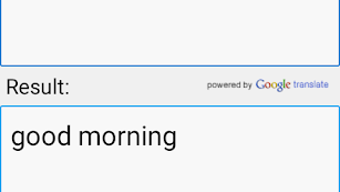
The user interface of the Yoruba English Translator is described as simple and accessible, with a layout focused on minimizing navigation complexity. Users can quickly enter text or activate voice input through clearly labeled buttons. The workflow is linear: input text → receive translation → listen to audio output → share if needed.
This straightforward process supports rapid interaction, reducing the time between input and result. The app’s lightweight size of 15.2 MB suggests it is optimized for devices with limited storage, which is beneficial for users with older or budget Android smartphones. Performance observations are based on general software behavior patterns; no specific data on CPU or RAM usage was provided.
The developer did not specify resource usage details, nor did they outline stability benchmarks or update frequency. However, the app’s functionality relies on Google’s translation infrastructure, which is generally known for reliability and speed. Users may experience delays during translation if their device has a weak internet connection, as the app likely requires online access for full functionality.
The developer did not provide information about crash rates, update intervals, or long-term stability.
Compatibility & System Requirements
The Yoruba English Translator is designed for Android devices and is compatible with Android operating systems. The app’s version is listed as 1.0, indicating it is in its initial release phase. It has a file size of 15.2 MB, which is relatively small and suitable for devices with limited storage capacity.
The developer did not specify minimum hardware requirements, such as RAM, processor type, or screen resolution. Compatibility information was partially provided, and exact system requirements were not listed. As such, users should ensure their device runs a supported version of Android before installation.
The app may function on devices with lower-end specifications due to its lightweight nature, but official compatibility details are limited. It is recommended to check the app’s official source or platform listing for the most accurate installation guidance. No information was provided about support for tablets, wearables, or other non-Android platforms.
Pros and Cons
Pros
- Free to download and use, making it accessible to a broad audience.
- Supports both text and voice input for flexible translation methods.
- Provides spoken output in both English and Yoruba for pronunciation learning.
- Simple, intuitive interface suitable for users of all skill levels.
- Small file size (15.2 MB) ensures minimal storage impact.
- Enables sharing of translations for real-time communication.
Cons
- Relies on Google’s translation engine, which may result in inaccuracies or context-based errors.
- No official confirmation of offline functionality or data caching.
- Exact system requirements and hardware compatibility were not disclosed.
- Version 1.0 suggests limited feature set and potential for future updates.
- Developer did not provide information on update frequency or long-term support.
FAQ Section
Is the Yoruba English Translator available for iOS devices?
The app is currently available only for Android. No information was provided about iOS compatibility or future releases on other platforms.
Can I use the app without an internet connection?
While the app may offer limited functionality offline, its full capabilities depend on Google’s translation services, which require an active internet connection. The developer did not confirm offline usage details.
Is the app safe to download and use?
As a free Android app, the app is available through official app stores. However, users should ensure they download it from trusted sources to avoid potential security risks. The developer did not provide details about data privacy or security protocols.
How often is the app updated?
The developer did not specify the update frequency. The current version is 1.0, which may indicate early-stage development with potential future improvements.
Does the app support other languages besides English and Yoruba?
The app is designed specifically for translation between English and Yoruba. No information was provided about support for additional languages.
Final Thoughts + CTA
The Yoruba English Translator offers a practical and accessible solution for individuals needing to translate between English and Yoruba. With its simple interface, voice input, and speech output features, it serves as a valuable tool for language learners, travelers, and anyone engaging with Yoruba-speaking communities. While the app relies on third-party translation services and lacks detailed system requirements, its lightweight design and free access make it a compelling choice for Android users.
The ability to share translations and hear accurate pronunciation enhances its utility in real-world scenarios. For those seeking a straightforward, no-cost language aid, this app delivers solid functionality despite its early version status. As development progresses, future updates may expand features and improve reliability.
Download Yoruba English Translator now and start bridging language gaps with ease.





.png)

